Browse crew
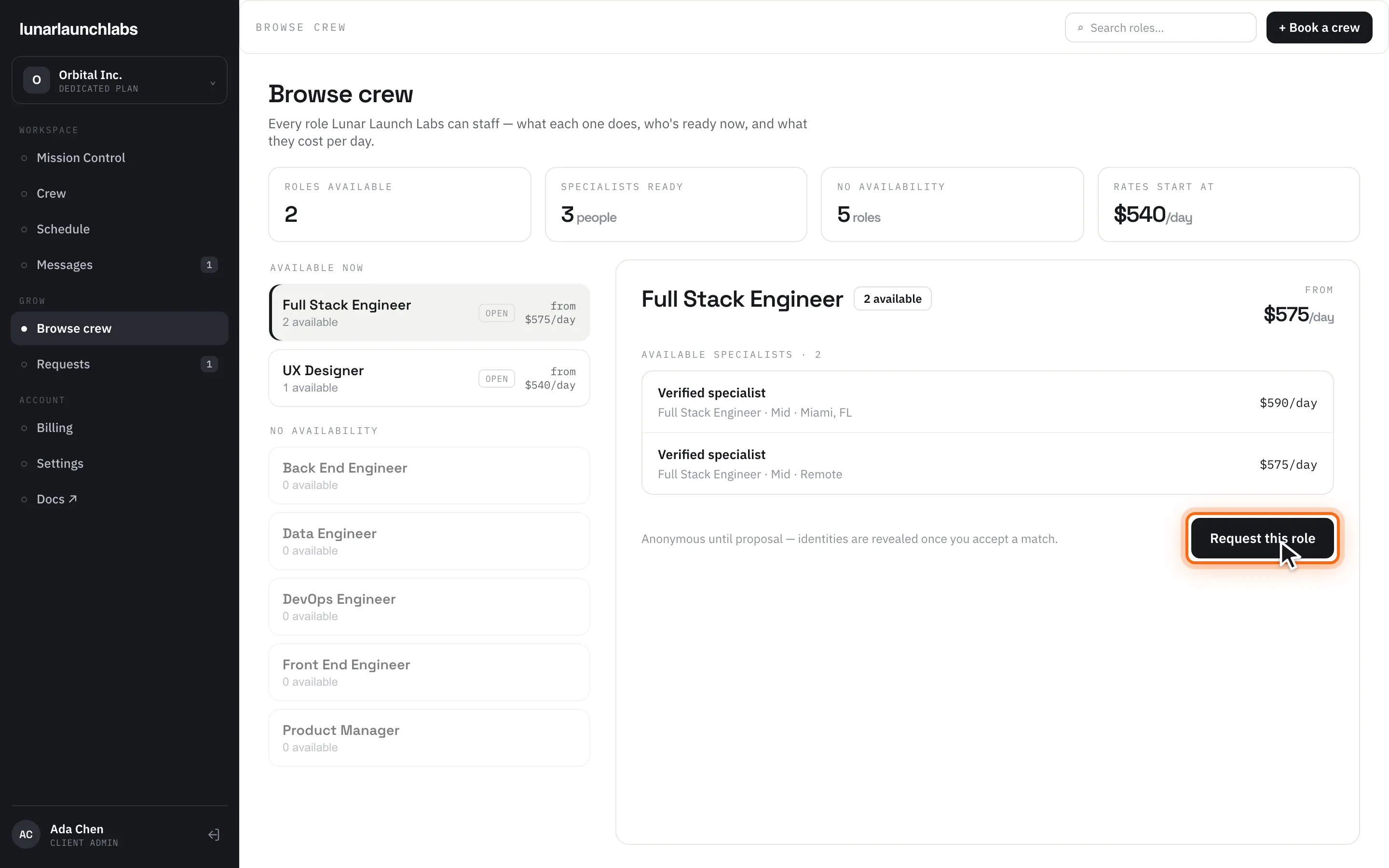
Browse crew (/browse-crew) shows every role Lunar Launch Labs can staff, who’s ready right now, and what each role costs per day on your plan. The title is “Browse crew”, subtitled “Every role Lunar Launch Labs can staff — what each one does, who’s ready now, and what they cost per day.” The header search (“Search roles…”) filters roles; “+ Book a crew” opens a new request.
The summary strip
Section titled “The summary strip”| Tile | Meaning |
|---|---|
| ROLES AVAILABLE | Specialties with at least one available specialist |
| SPECIALISTS READY | Total available people across all roles |
| NO AVAILABILITY | Roles with nobody free right now |
| RATES START AT | The lowest “from $X/day” starting rate across available roles — computed live from the candidates actually available on your plan, not a published price |
Browsing roles
Section titled “Browsing roles”The left list, headed “AVAILABLE NOW”, shows each role with a “{n} available” tag and its “from $X/day” starting rate. Roles with nobody free sit under a “NO AVAILABILITY” sub-header with a “0 available” tag.
Selecting a role opens its detail: the description, a FROM rate block, and “AVAILABLE SPECIALISTS · {count}” — a list of profiles. Every profile is deliberately anonymous:
- The name is always the literal “Verified specialist” — real names are never shown while browsing.
- You see their title, experience level, location, and the day rate for your plan.
The note under the list explains why: “Anonymous until proposal — identities are revealed once you accept a match.” (Identities are actually revealed at proposal time, when the crew desk sends you named candidates to review.)
When a role has nobody free: “Nobody is free for this role right now — request it and the crew desk will source a match.”
Booking from here
Section titled “Booking from here”Browse crew is a catalog, not a checkout — booking always goes through a request. Click “Request this role” (or the header’s “+ Book a crew”) to open Requests and file one.
Empty state (no roles at all): “No roles yet” — “Specialties appear here as soon as they’re staffed.” Load failure: “Could not load available crew. Please try again.” with Retry.